
Technical Documentation with AI: Beyond the Template
Technical documentation is unglamorous, time-consuming, and critical. Products without clear documentation generate support tickets, user frustration, and churn. Yet engineering and product teams consistently treat documentation as an afterthought — partly because writing good technical docs has traditionally required specialized technical writing skills.
AI has changed this equation. Here's how to use it to produce professional technical documentation in a fraction of the time.
Types of Technical Documentation AI Can Help With
User-facing documentation:
- User manuals and product guides
- Quick start guides and tutorials
- API reference documentation
- FAQ and troubleshooting guides
- Release notes
Internal technical documentation:
- System architecture documents
- Engineering specification documents
- Runbooks and operational procedures
- Integration guides
- Developer onboarding documentation
Regulatory and compliance documentation:
- Technical specifications for regulatory submissions
- Quality management system (QMS) documents
- SOPs (standard operating procedures)
- CE, FDA, or ISO compliance documentation
Each type requires different tone, structure, and level of technical detail. AI, properly configured, adapts to all of them.
What to Prepare Before You Start
The quality of AI-generated technical documentation depends on the technical inputs you provide:
Product or system inputs:
- Technical specifications or requirements documents
- Architecture diagrams or system descriptions
- API documentation (OpenAPI/Swagger specs, endpoint descriptions)
- Existing documentation you're updating or expanding
- Sample user workflows or use cases
Audience information:
- Who will read this? (end users, developers, system administrators, auditors)
- What is their technical level?
- What do they need to accomplish?
Format requirements:
- What structure is required? (chapters, sections, tables, code blocks)
- Do you need compliance with a specific framework? (ISO, FDA, GDPR)
- What export format? (Word, PDF, HTML, Markdown)
The Process: Step by Step
Step 1: Define the Document Scope
Before writing anything, define:
- What the documentation covers (and explicitly what it doesn't)
- The document structure (table of contents)
- Target audience and their assumed knowledge level
AI can help you define this structure. Input: "Write a table of contents for a user manual for a SaaS project management tool targeting non-technical small business owners."
Step 2: Upload Reference Materials
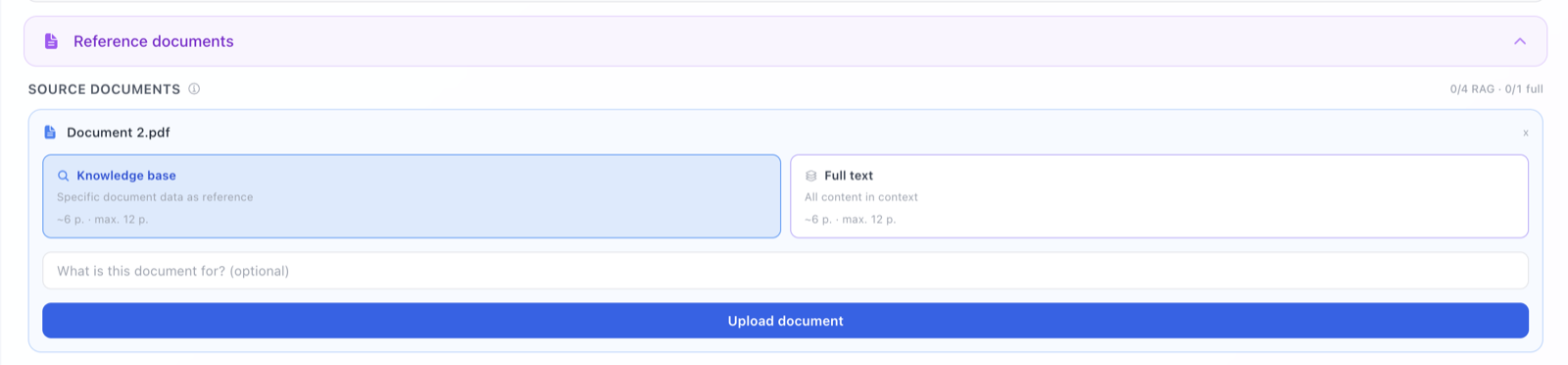
Upload your technical specifications, previous documentation, and any relevant materials. The more specific your inputs, the more accurate the output.
For a software user manual: upload your UI feature list, user journey descriptions, and any existing support documentation.
For a technical specification: upload your requirements document, architecture diagrams (described in text or image form), and any relevant standards.
Step 3: Generate Section by Section
For documents over 30 pages, generate section by section with clear instructions for each. Key prompt patterns:
-
"Write the Installation section of the user manual. The product runs on Windows 10+, macOS 12+, and Ubuntu 20+. Installation requires administrator rights. The user will have received a license key by email."
-
"Write the API Authentication section. We use OAuth 2.0 with bearer tokens. Token lifetime is 3600 seconds. Include a code example in Python and cURL."
-
"Write the Troubleshooting section for the following error codes: [list of codes with descriptions]."
Step 4: Review for Technical Accuracy
This is critical and non-negotiable: AI can produce technically plausible-sounding documentation that contains errors. Every technical claim must be verified against the actual product.
Review checklist:
- All step numbers and procedures are correct
- Code examples actually work
- Screenshots and UI descriptions match the current product
- Version numbers and compatibility information are accurate
- Links and references are valid
Step 5: Maintain Consistency
For multi-section documents, consistency in terminology is critical. Technical documentation that refers to the same feature with three different names will confuse users and undermine trust in the product.
Tools built for long-document generation maintain a terminology glossary automatically. For shorter documents, create and reference a manual glossary.
Technical Writing Style: Key Principles
AI can apply these principles if you specify them:
Active voice over passive: "Click the Submit button" not "The Submit button should be clicked"
Second person: "You can configure this setting" not "The user can configure"
Step-by-step for procedures: numbered lists, not paragraphs
One action per step: "Click Save. The confirmation dialog opens." not "Click Save and wait for the confirmation dialog to appear"
Consistent terminology: pick one term for each concept and use it throughout
Short paragraphs: 3–4 sentences maximum in user-facing content
Structuring Different Document Types
User Manual
- Introduction and overview
- System requirements / prerequisites
- Installation / setup
- Getting started / quick start
- Feature documentation (organized by workflow, not feature list)
- Troubleshooting
- Glossary
- Index
API Documentation
- Overview and authentication
- Base URL and versioning
- Endpoints (by category)
- Request/response formats
- Error codes and handling
- Rate limits and quotas
- Code examples
- Changelog
System Architecture Document
- Executive summary
- System context diagram
- Component architecture
- Data flow and storage
- Security architecture
- Integration points
- Deployment architecture
- Performance and scalability considerations
Comparison: AI Tools for Technical Documentation
| Approach | Quality | Consistency | Time | Technical Accuracy |
|---|---|---|---|---|
| Manual (technical writer) | Excellent | High | Weeks | High |
| ChatGPT | Good | Medium | Hours | Medium — must verify |
| Specialized AI tool | Good | High | Hours | Medium — must verify |
| AI + technical review | Excellent | High | Days | High |
The key insight: AI + your technical review beats the quality and time of either approach alone.
Conclusion
Technical documentation is one of the highest-ROI use cases for AI in business writing. The cost of poor documentation — user confusion, support tickets, product returns — far exceeds the investment in getting it right.
AI makes it possible to produce professional technical documentation without a dedicated technical writer, and to maintain and update documentation as your product evolves. The critical caveat: technical accuracy cannot be delegated. Every procedure must be tested, every code example must run, every specification must match the actual product.
AI writes the documentation. You verify the truth of it.