
Annual report with AI
in your brand format
Load last year's report and this year's data. Nomos generates the new report with your tone, your headings and your structure — no briefings, no manual formatting.
Annual reports · Sustainability reports · GRI · CSRD · Export to Word
Report types Nomos generates
Annual report
Management report for shareholders and investors with financial and strategic results.
Sustainability report
ESG report under GRI, CSRD, TCFD or SASB standards with quantitative indicators and narrative.
Integrated report
Document combining financial and non-financial results under the IIRC framework.
Activity report
Annual activity report for foundations, NGOs and public entities.
Corporate memory
Corporate identity document with history, culture, values and organisational trajectory.
Commercial proposal
Sales document up to 50 pages with value proposition, methodology and budget.
What goes into an annual report
The standard outline Nomos builds by default — use it as a ready-made template and adapt it to your company.
Cover & table of contents
A branded cover, the reporting year, and a navigable index.
Leadership letter
The CEO or chair's message framing the year and its priorities.
Year in review & highlights
Key results, milestones and headline figures at a glance.
Management report
Business performance, operations and the analysis behind the numbers.
Financial statements
Balance sheet, income statement and notes — or a clear financial summary.
Sustainability & ESG
Non-financial and impact reporting, aligned to your framework (GRI, ESRS).
Governance
Board composition, structure and risk management.
Strategy & outlook
Priorities and guidance for the year ahead.
That's your annual report template. Nomos fills each section from your data — on brand, cohesive across 100+ pages, in one Word document.
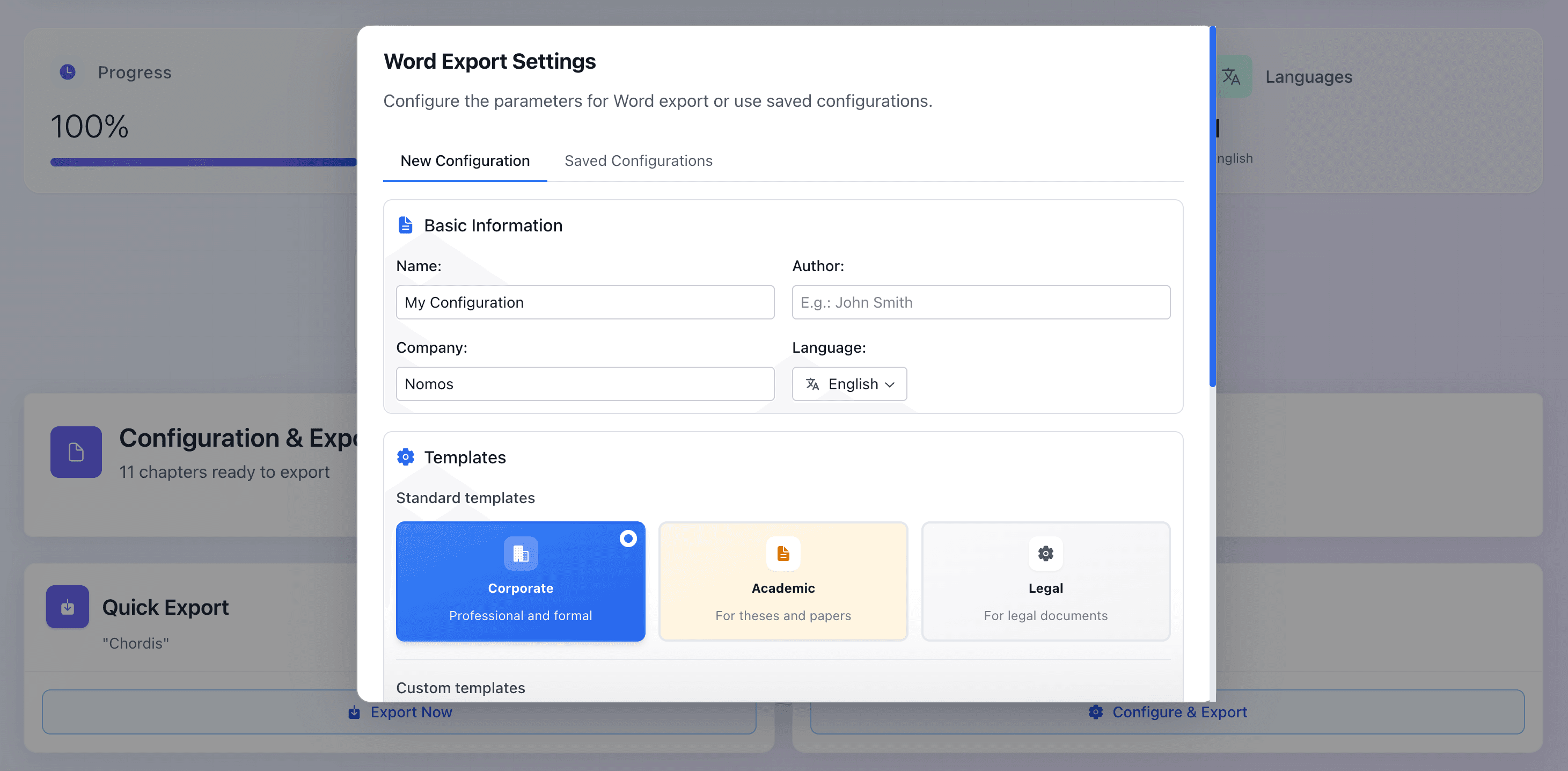
From outline to a submission-ready corporate Word document
Nomos exports the full report to Word with a corporate template — cover, table of contents and pagination — ready to review and publish.
From weeks to hours
Without Nomos
- ✕4–8 weeks of writing
- ✕Briefings to multiple departments
- ✕Tone inconsistencies between sections
- ✕Manual Word formatting
- ✕Multiple revision rounds
With Nomos
- ✓Complete draft in ~15 minutes
- ✓Financial data → report automatically
- ✓Consistent corporate tone throughout
- ✓Word with your brand template already applied
- ✓Strategic review, not style correction
Frequently asked questions
How does Nomos maintain brand identity in the report?
You load last year's report as a reference document. Nomos extracts the tone, headings, terminology and corporate structure, and applies them to the new report.
Does it work for sustainability reports (GRI, CSRD)?
Yes. You can specify the reporting standard (GRI, CSRD, TCFD, SASB) and Nomos will structure the document according to its requirements, including quantitative indicators.
What data do I need to prepare before starting?
Last year's report (as style reference), financial data for the period, operational and sustainability metrics, and the key messages management wants to convey.
How much time does it save compared to the manual process?
The complete report draft is ready in approximately 15 minutes. The team's time is spent on strategic review and validation, not writing from scratch.
Detailed guide: How to create an annual report with AI
You might also like